Brand Overview sections
Brand Overview organizes metric tiles into themed sections. Each section’s visibility depends on which datasources are connected to the workspace; sections without a required datasource don’t appear on the page.
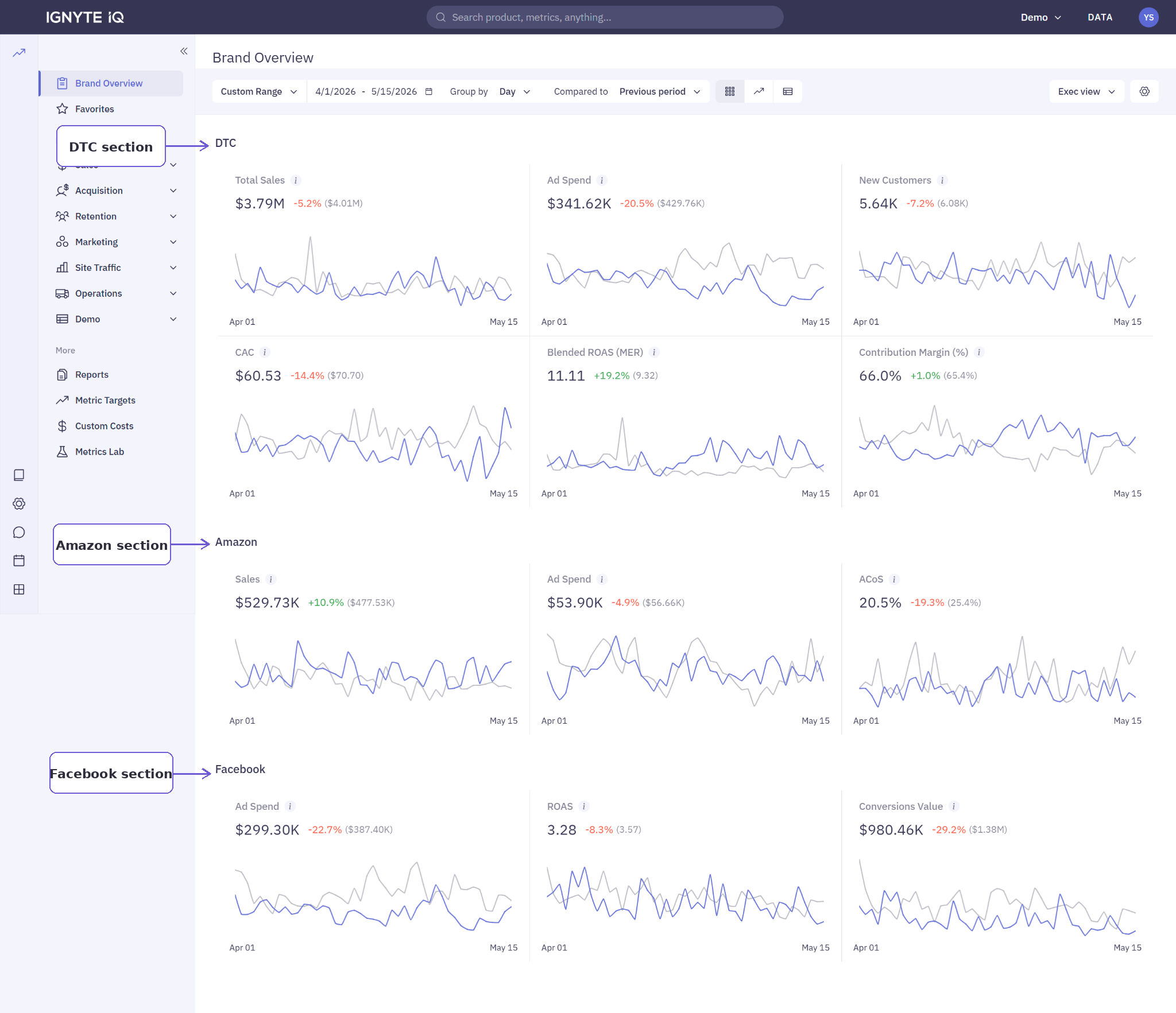
Sections
Section titled “Sections”| Section | Required datasource | Typical metrics |
|---|---|---|
| DTC performance | Shopify, BigCommerce, or WooCommerce | Revenue, Orders, AOV, New vs Returning Customers, top products |
| Marketplaces | Amazon Seller | Marketplace sales, units, Buy Box %, top products |
| Marketing | At least one ad platform | Blended Spend, Blended ROAS, acquisition cost |
| Retention | Klaviyo (messaging); ecommerce (repurchase metrics) | Repurchase rate, returning-customer share, LTV signals |
| Site Traffic | Google Analytics 4 | Sessions, conversion rate, channel mix |
| Operations | Ecommerce datasource with fulfillment data | Unfulfilled orders, fulfillment speed |
| Subscriptions | Recharge | Recurring revenue, take rate, subscribers |
For deeper analysis of each area, the matching Explore section covers the same topic with full drilldown.
What’s shared across sections
Section titled “What’s shared across sections”Every section responds to the same controls. The date range and comparison set in the control bar at the top of Brand Overview apply to all sections at once — change the date range and every section’s tiles update simultaneously. There is no per-section date control.
What varies per section
Section titled “What varies per section”Each section shows only the metrics relevant to its datasource group, and each is gated independently. If a section’s required datasource is disconnected, that section shows a connection prompt rather than data while the rest of the page renders normally.
Common questions
Section titled “Common questions”A section is missing.
The datasource required for that section isn’t connected to the current workspace. Check the Data panel and add the required datasource via Settings → Integrations.
A section is visible but has empty tiles.
The datasource is connected, but the initial sync may not have completed yet, or the date range is outside the available history.
Can sections be reordered or hidden?
Section order on Brand Overview is fixed. For a custom layout, use Reports.